Authenticating pfSense OpenVPN Against IBM i LDAP
Intro
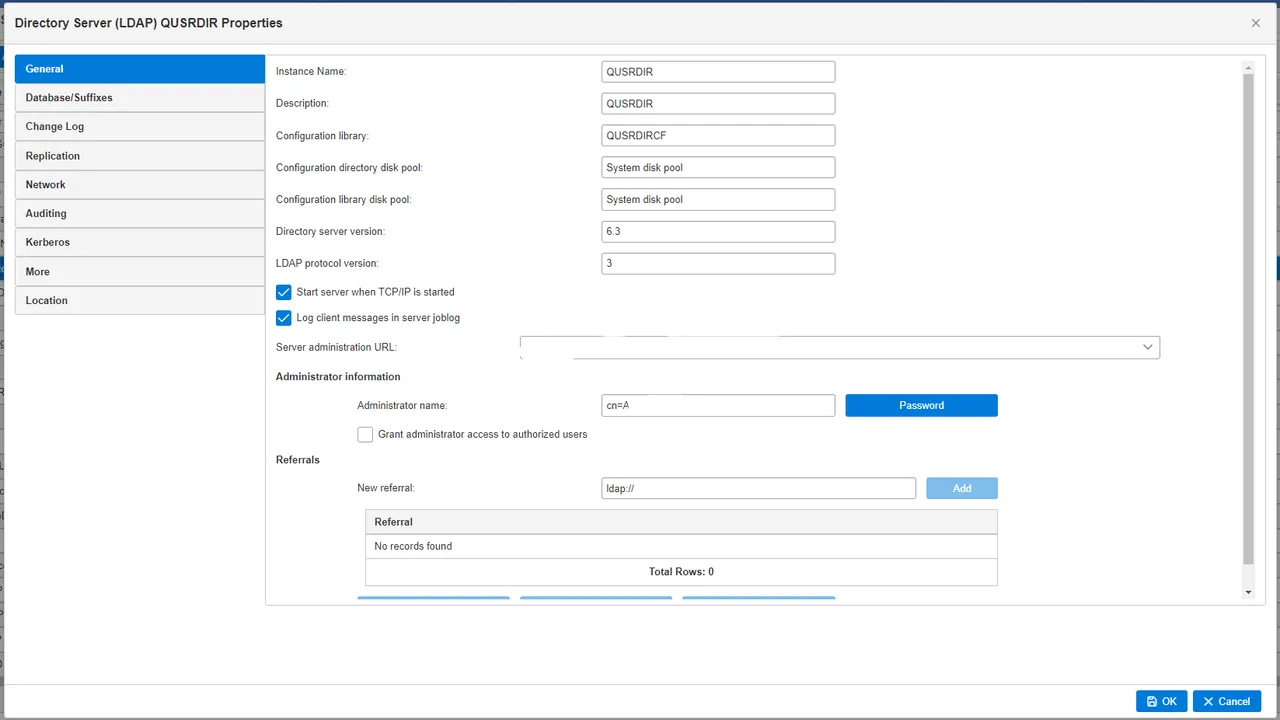
When hosting services alongside IBM i, such as a VPN, unifying user authentication improves the end-user experience. By configuring the LDAP server on IBM i, users can log in to other services using their existing IBM i credentials.
Process
First, add user profiles to the System Distribution Directory. LDAP, like SMTP, uses this directory for user information. You can access it via the WRKDIRE command.
Note: Usernames are limited to 8 characters due to legacy constraints.
Instead of manually keying each user, I wrote a script to transfer all IBM profiles to the System Distribution Directory automatically.
import odbc from 'odbc'
import { Connection, CommandCall } from 'itoolkit'
import { parseString } from 'xml2js'

const config = {
  host: '<ip-address>',
  name: '<dsn-name>',
  username: '<user-name>',
  password: '<password>',
}

// set up ssh connection for running commands
const connection = new Connection({
  transport: 'ssh',
  transportOptions: {
    host: config.host,
    username: config.username,
    password: config.password,
  },
})

// connect via odbc using the DSN defined in odbc.ini
odbc.connect(`DSN=${config.name}`, (error, db) => {
  if (error) {
    throw error
  }

  // query the QSYS2 user info file
  db.query('SELECT USER_NAME,TEXT FROM QSYS2.USER_INFOB', (error, result) => {
    if (error) {
      throw error
    }

    // comb through the results
    result.forEach(({ USER_NAME, TEXT }) => {
      // disregard the IBM defined profiles
      if (USER_NAME.startsWith('Q')) {
        return false
      }

      // USER ID has an 8 character limit
      const USER_ID = USER_NAME.substring(0, 8)
      console.log({ USER_ID })
      // set up the command to run
      const command = new CommandCall({
        type: 'cl',
        command: `ADDDIRE USRID(${USER_ID} ${config.name}) USRD('${TEXT}') USER(${USER_NAME})`,
      })

      // add the command to the connection
      connection.add(command)
    })

    // after we added the commands let's run them
    connection.run((error, xmlOutput) => {
      if (error) {
        console.log({ error })
      } else {
        // parse the results
        parseString(xmlOutput, (parseError, result) => {
          if (parseError) {
            console.log({ parseError })
          }
          console.log({ result })
        })
      }
    })
  })
})
Managing LDAP
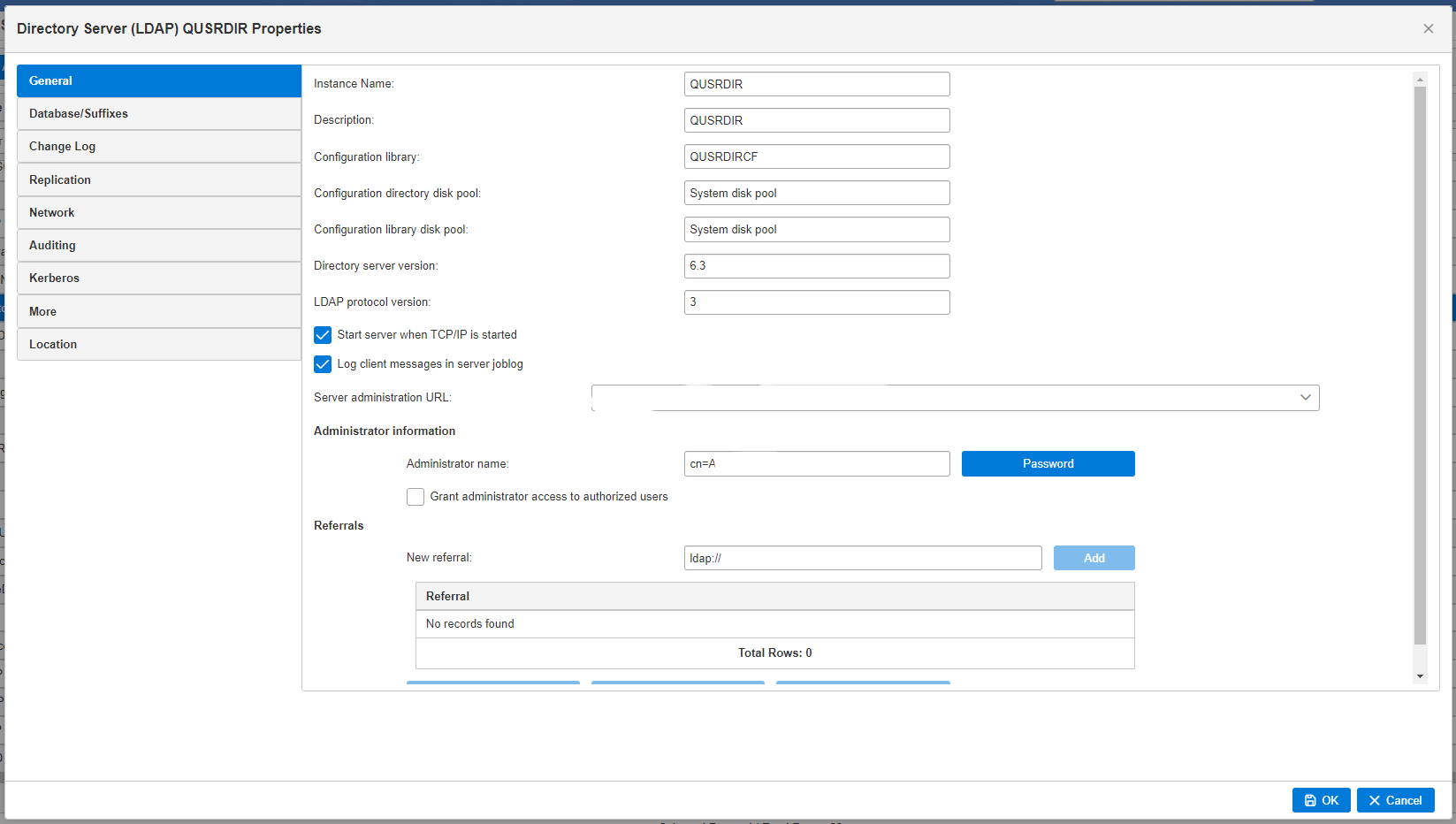
IBM integrates the Tivoli LDAP server, which is configurable via the Web Navigator. For detailed instructions, refer to the IBM i LDAP documentation. Like standard LDAP servers, it uses Common Names (CN) and Organization Names (ON) for authentication integration.
Implementation
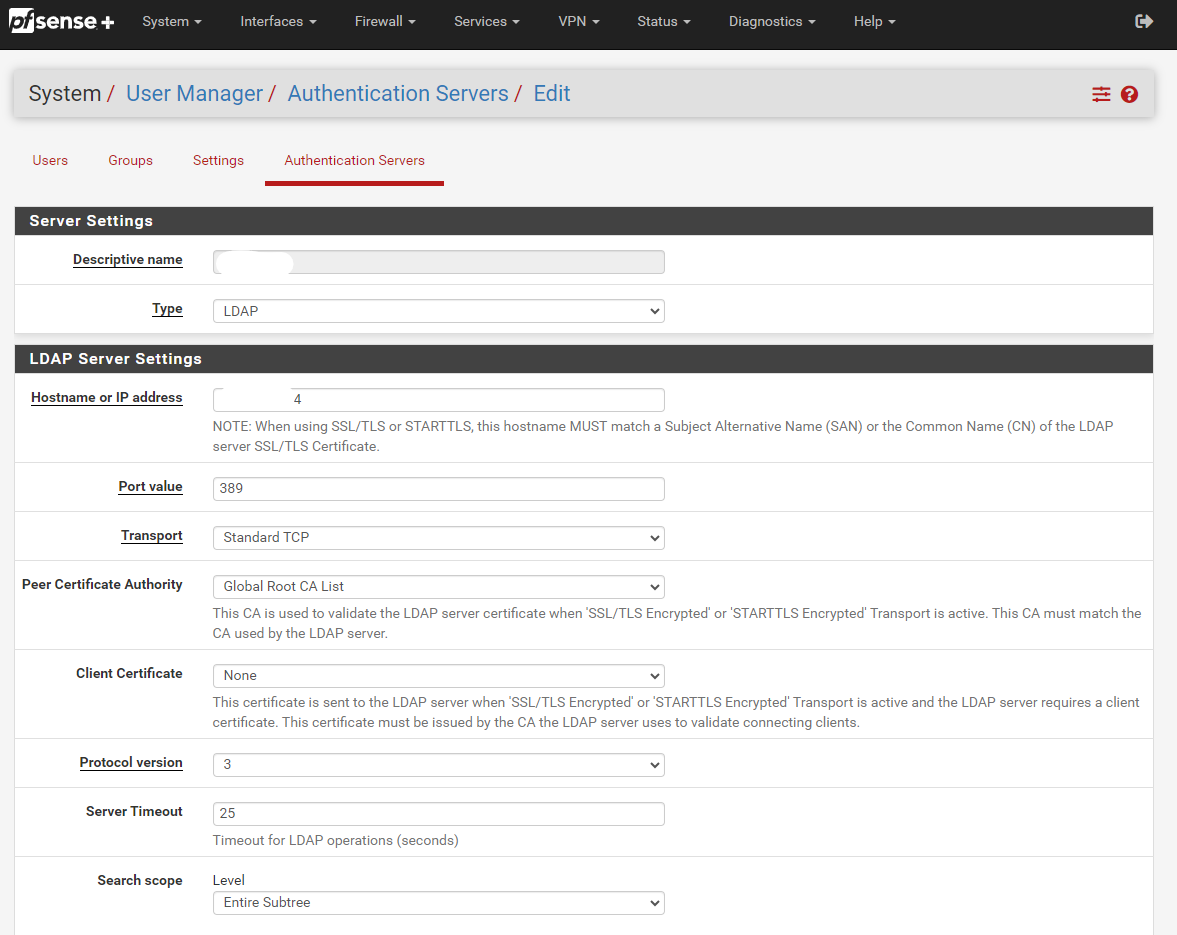
I most commonly use this to authenticate pfSense OpenVPN users. Configuring pfSense to authenticate against the IBM i LDAP server is straightforward. Once set up, you can assign this authentication method to your OpenVPN configuration. This approach works for many other services that support LDAP.
The full Node.js script for syncing profiles is available in the snippets above. If you are consolidating auth across IBM i and external services, LDAP is often the simplest bridge without adding a separate identity provider.